Cyberduck <- to -> S3
Here’s an easy way to move data in and out of Amazon S3
Cyberduck is an FTP app for MacOS and Windows that also connects to S3 object storage. It provides a nice graphicall way to handle data in S3
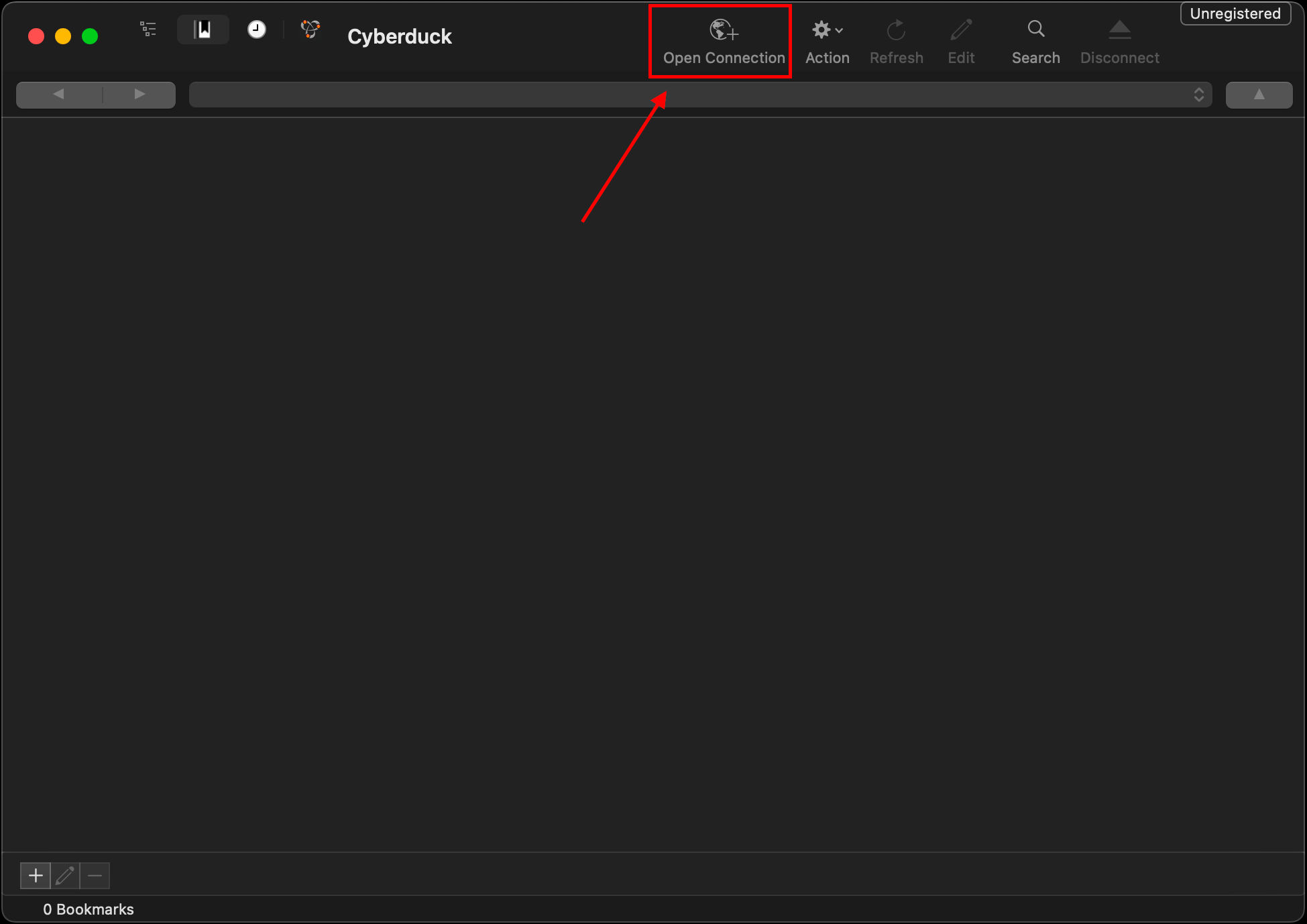
Click on Open Connection to create a new connection
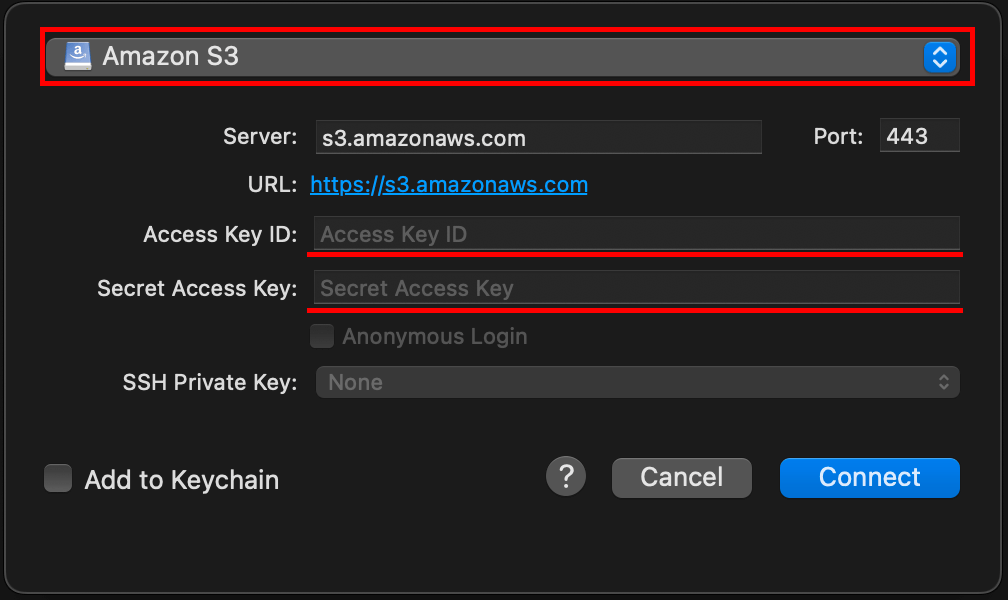
Select S3, then enter your Access Key and Secret Access Key for your IAM user
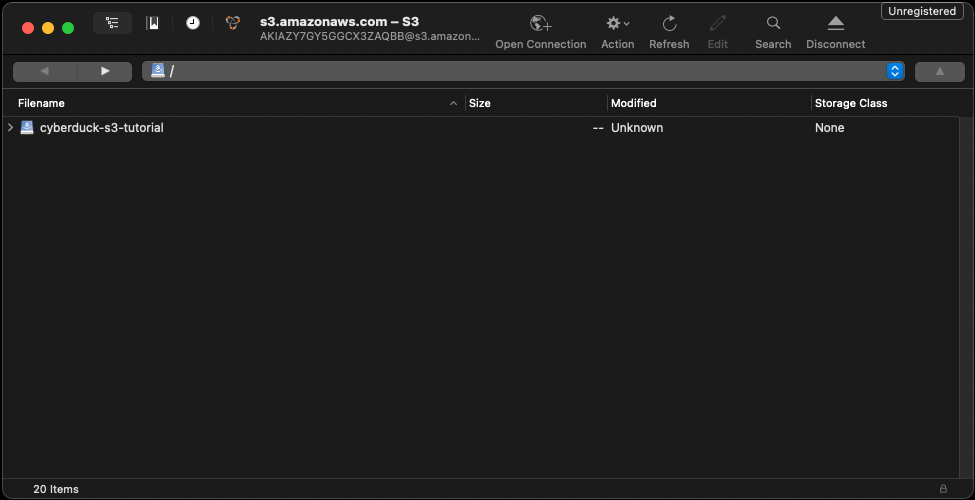
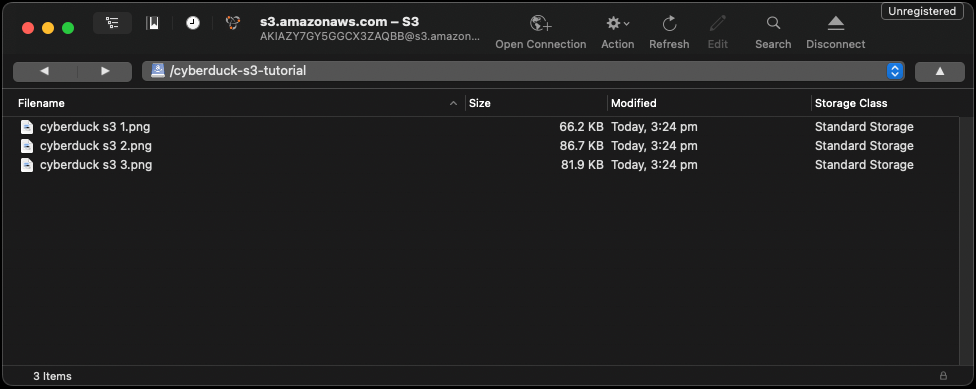
Once done you can see a list of all the S3 buckets in that account
Note: you can only open the ones the IAM user has access to.
Bonus! S3 storage classes⌗
To see the S3 storage class, right click on the red underlined section and ensure Storage Class is ticked
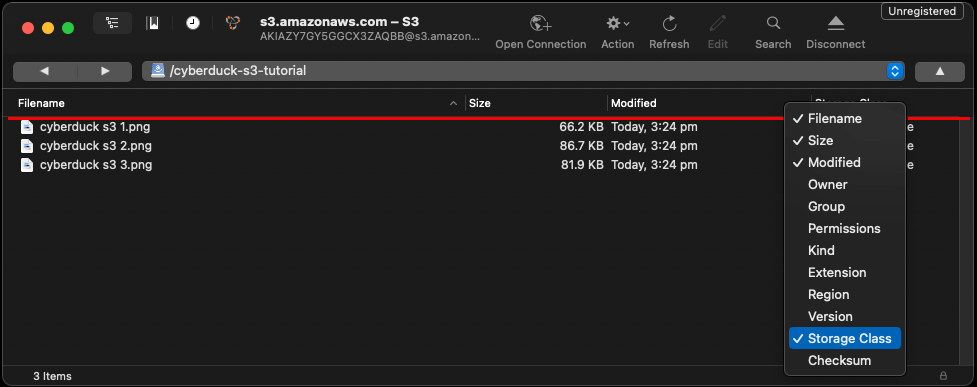
Then there will be a column showing the storage class of each object
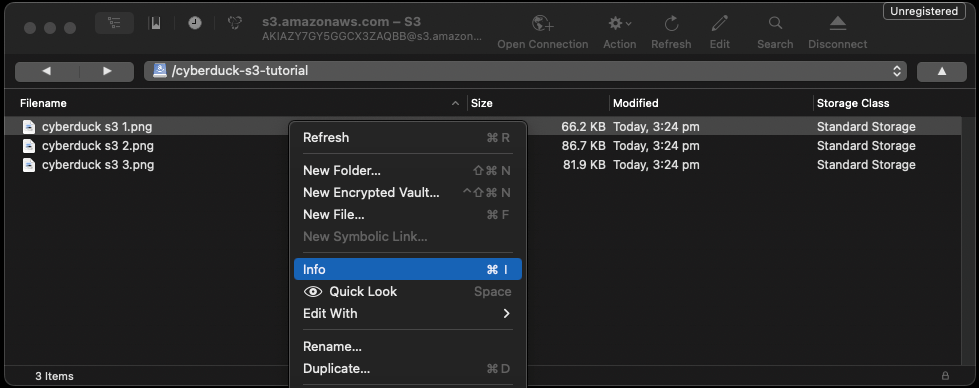
To move an object to a different storage class, right click on an object and select info
Then in the info window select S3
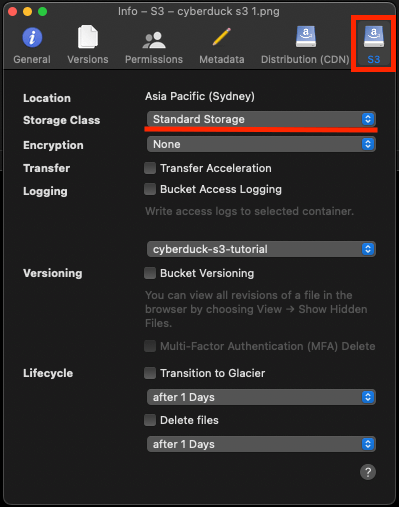
There is also a section to create basic lifecycle rules to transition objects into Glacier or delete them after a set number of days